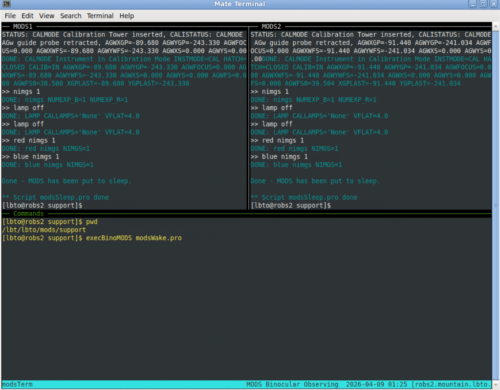
MODS tmux sessions
tmux stands for terminal multiplexer, and the upgraded MODS relies on three types of tmux sessions to manage and monitor MODS processes on the Archon servers and instrument servers and to launch and monitor observing and calibration scripts. Observers will open the modsAdmin and modsTerm sessions from their partner accounts, and these are the only sessions described here.
modsAdmin
run from observers workstation (e.g. robs2)
modsAdmin displays the status of both MODS1 and MODS2 and provides a “Commands” panel at the bottom. It is used to check that MODS is powered on and all processes and services are running. The modsUI is the only process that should read “Stopped” at the start of the night, before the observer launches the MODS GUIs.
modsTerm:
Run modsTerm from your user account on an observatory workstation. The bottom panel is for typing commands, e.g. changing directory or launching binocular acquisition or observation scripts, and the top left and right panels are primarily for monitoring script progress, although when a script pauses, e.g. to wait for collimation or for alignment, or if it stops because of an timeout or error, then you may type the appropriate response at the prompt. Another way to respond is by the new “binoMODS” command. In the lower panel, type binoMODS followed by a carriage return to see the options and syntax.
The modsTerm tmux is ideal for running binocular scripts, but a terminal window may still be the best choice for running monocular scripts.
The modsTerm tmux session can be monitored by another user, a colleague or observatory support, who is logged into the same machine with the same partner name.